Kind of app
An investment portfolio app for your holdings
Made for wealth and property managers, family offices and investment clubs, with every screen and the navigation laid out from one sentence. Put your own holdings in the Architect, and we build it for Android, or your coding agent for iOS and Android.
Free to design, with a Google or GitHub sign-in. It opens with “An app to track my investment portfolio” in the box, to change into your own. Shown: Ticker Board, an example designed in the Architect from a short brief.
- Portfolio: the total value, returns, income, a 12 month chart and the holdings.
- Holding: its valuation, yield, share of the portfolio and income this year.
- Allocation and Activity: drift from target, then income, trades and fees.
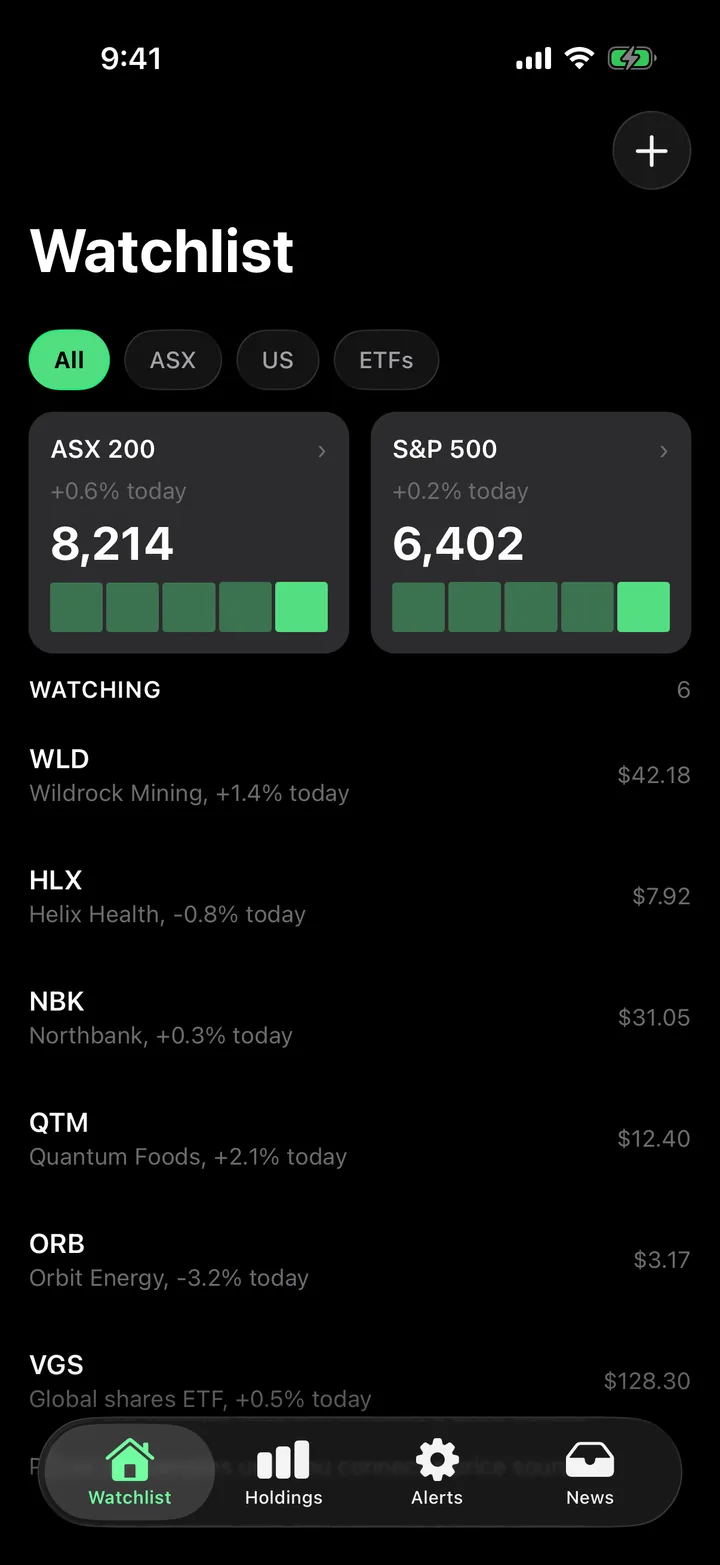
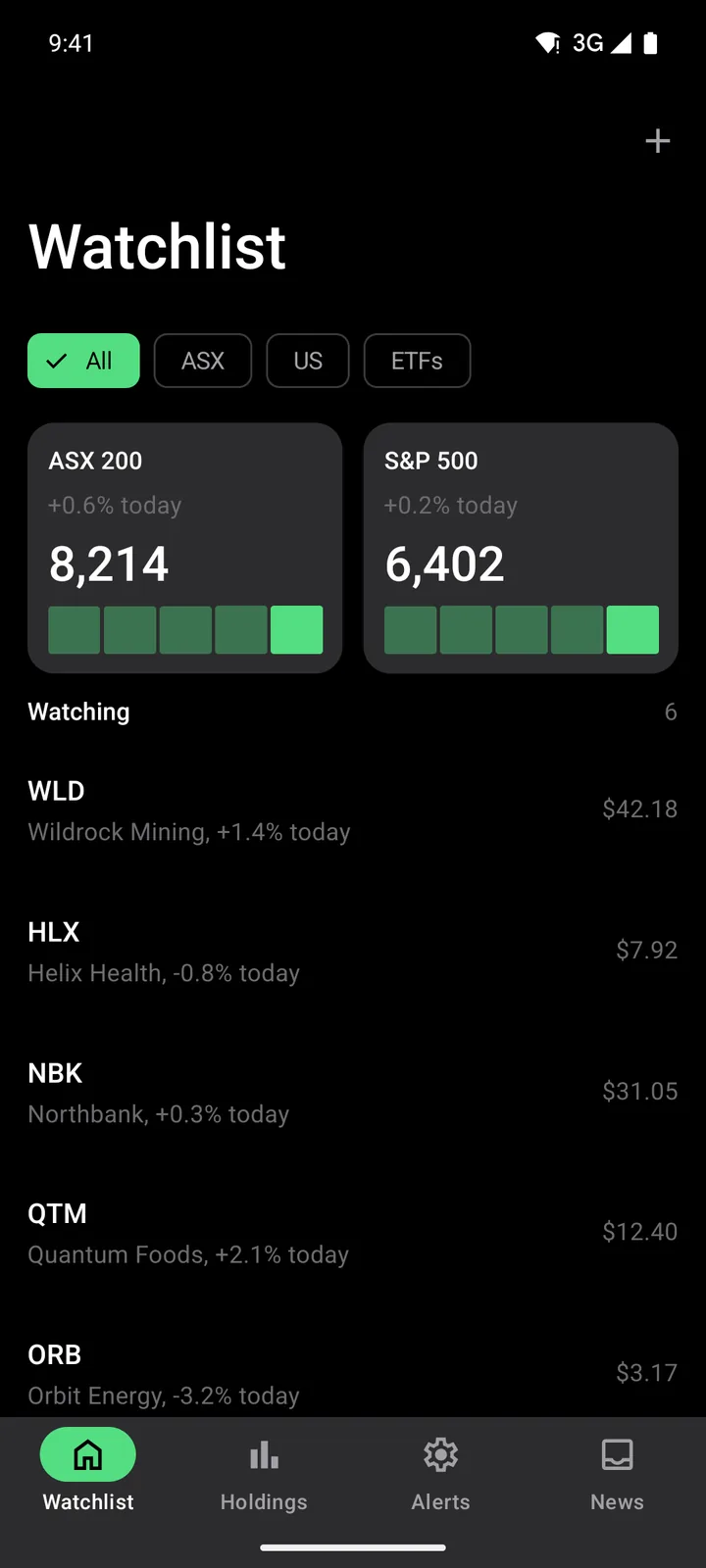
Every screen
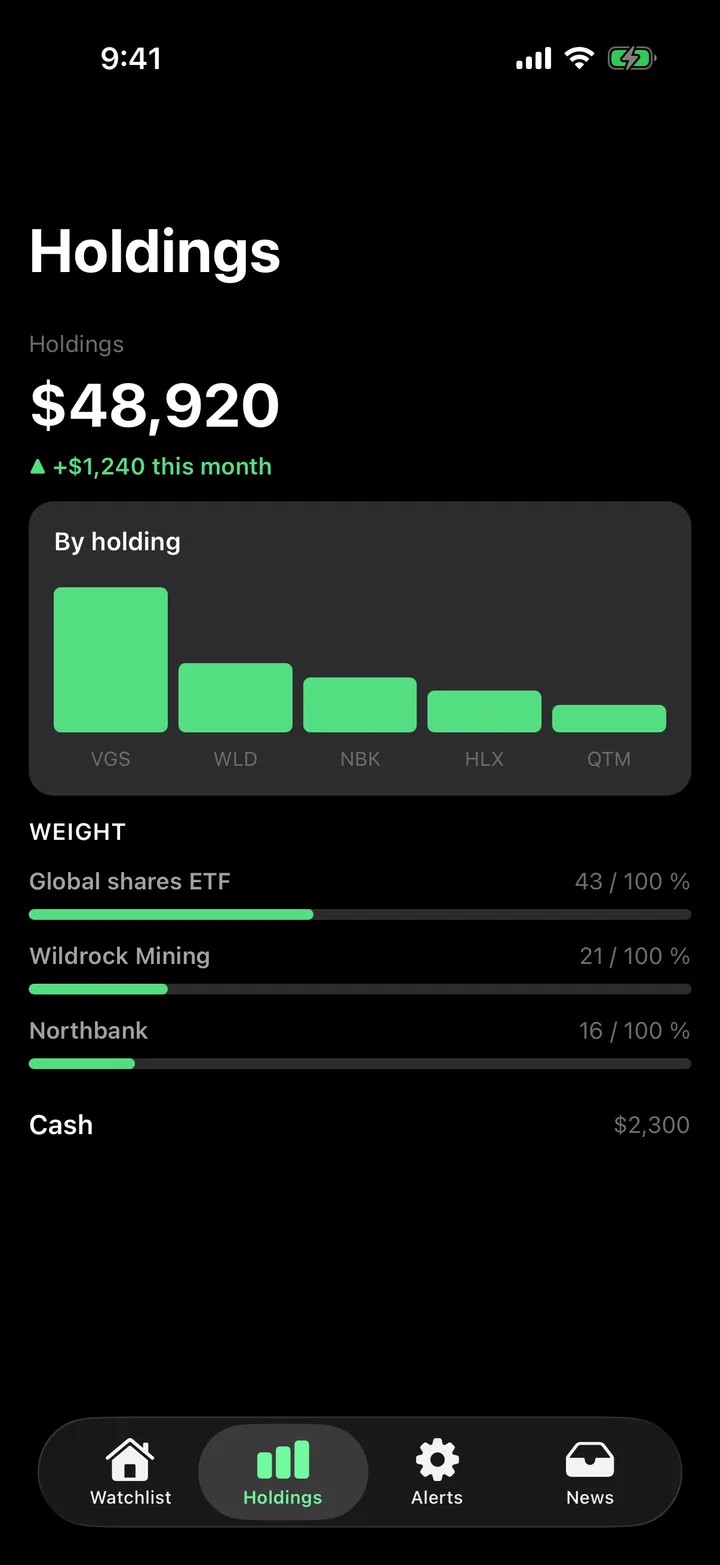
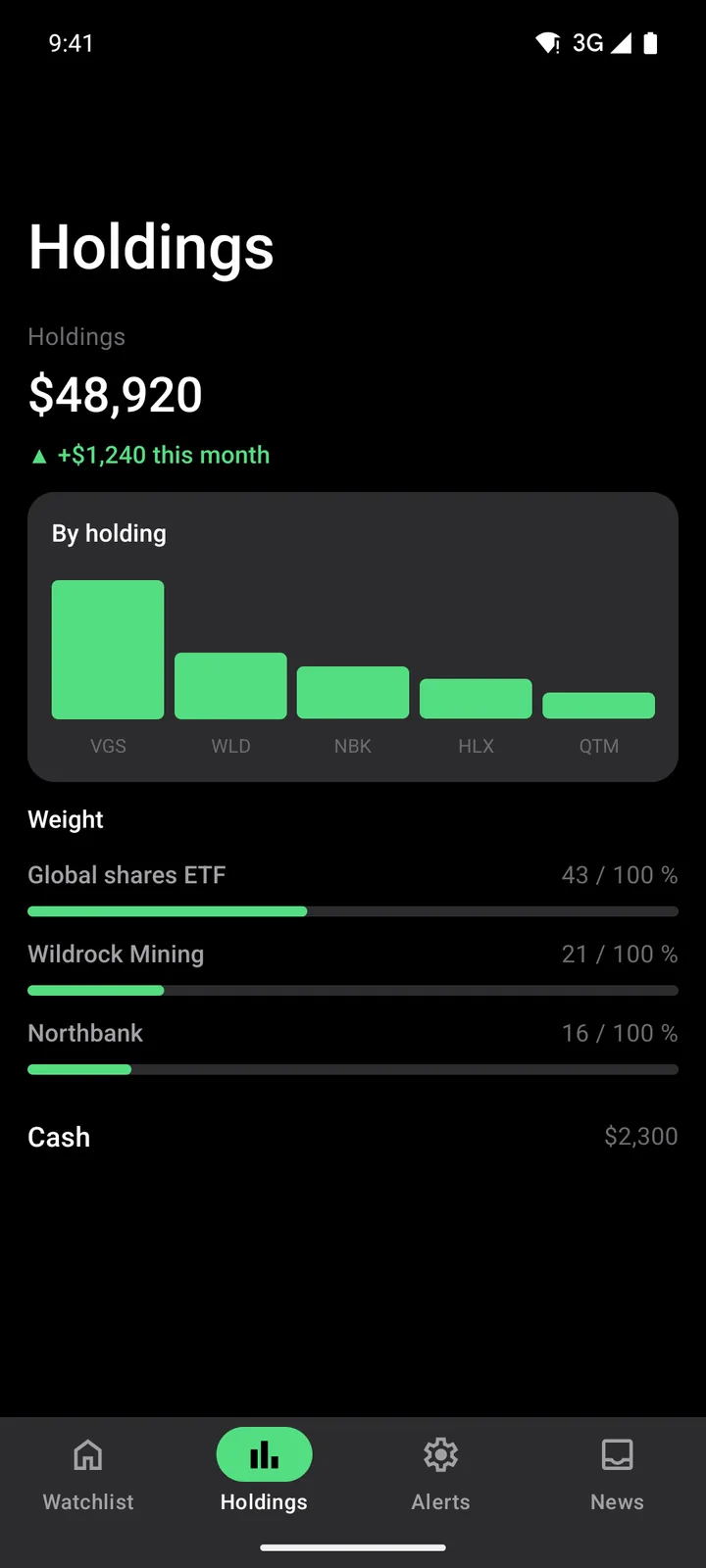
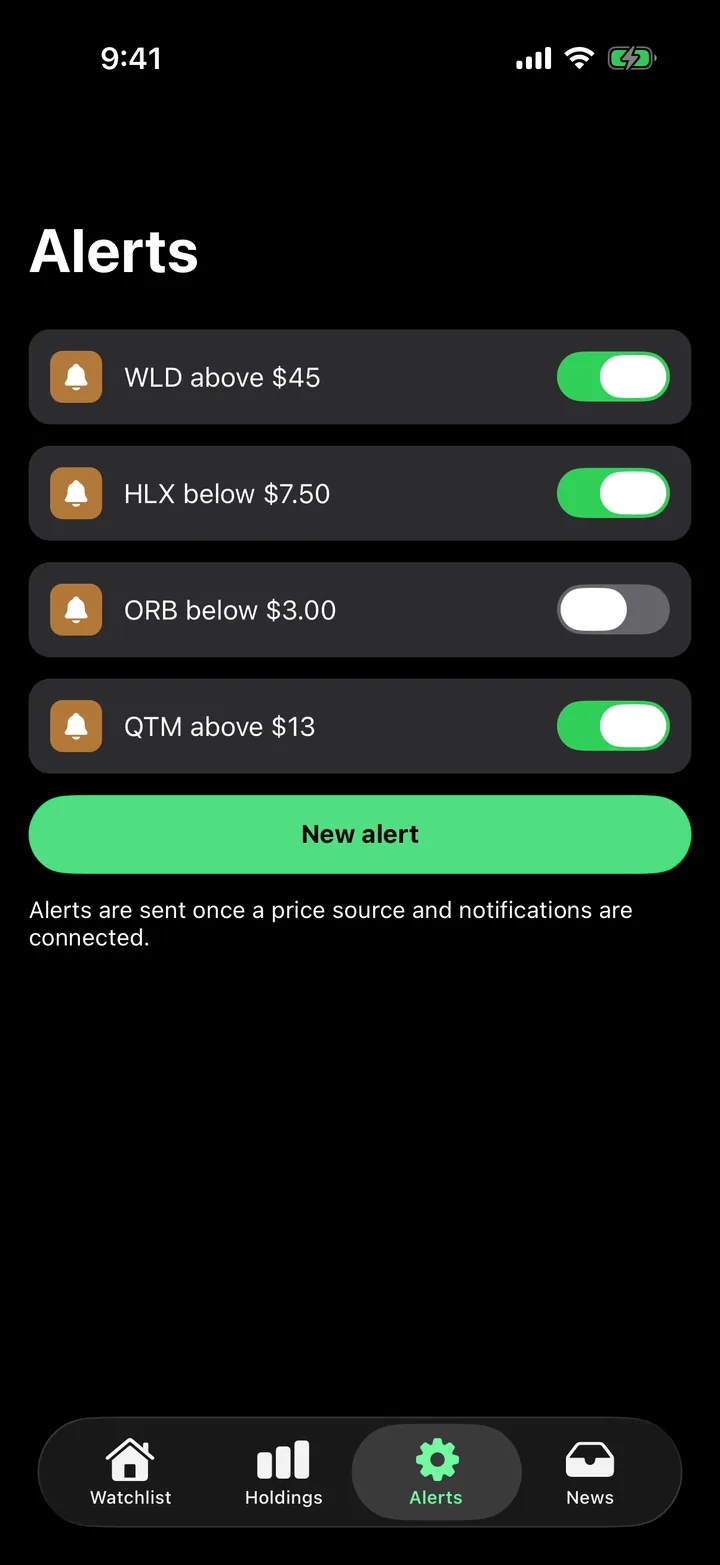
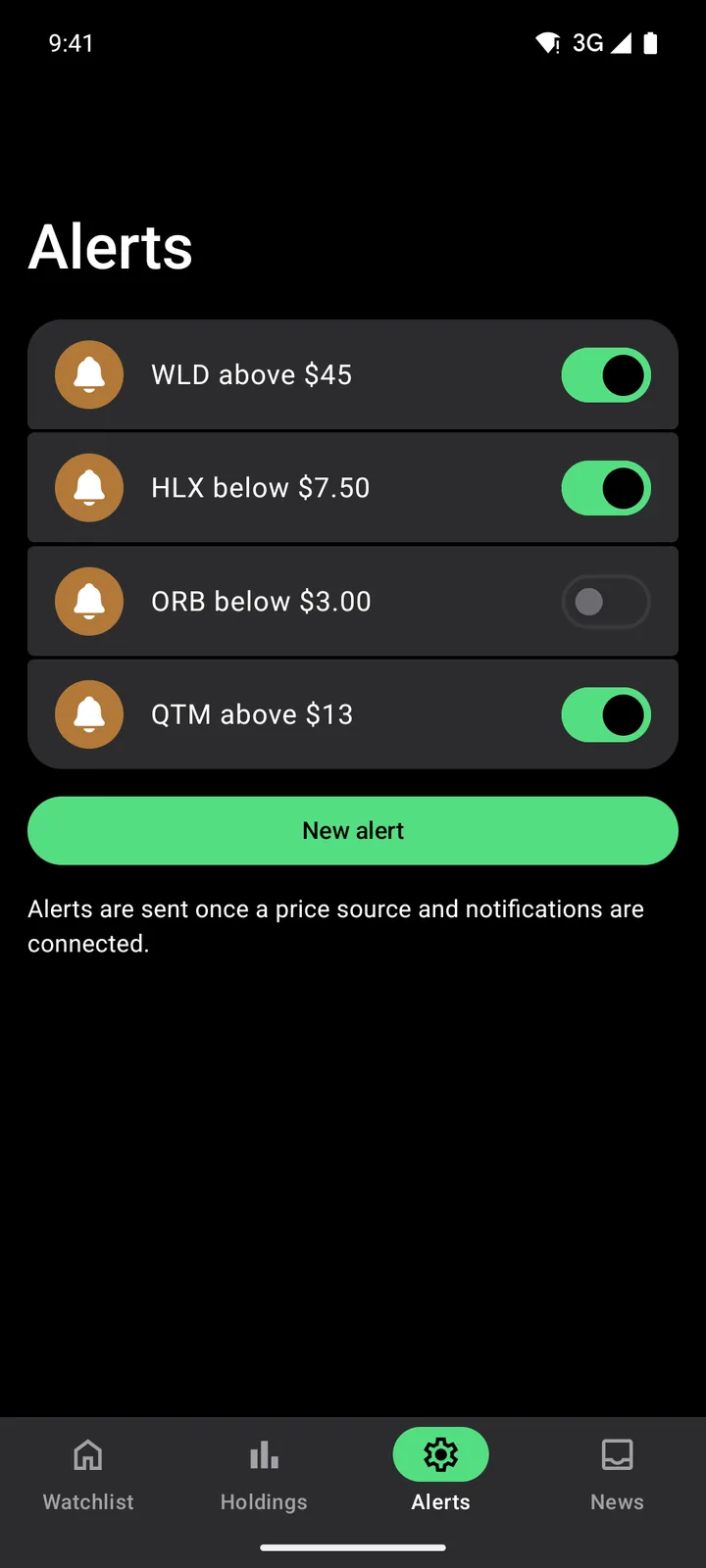
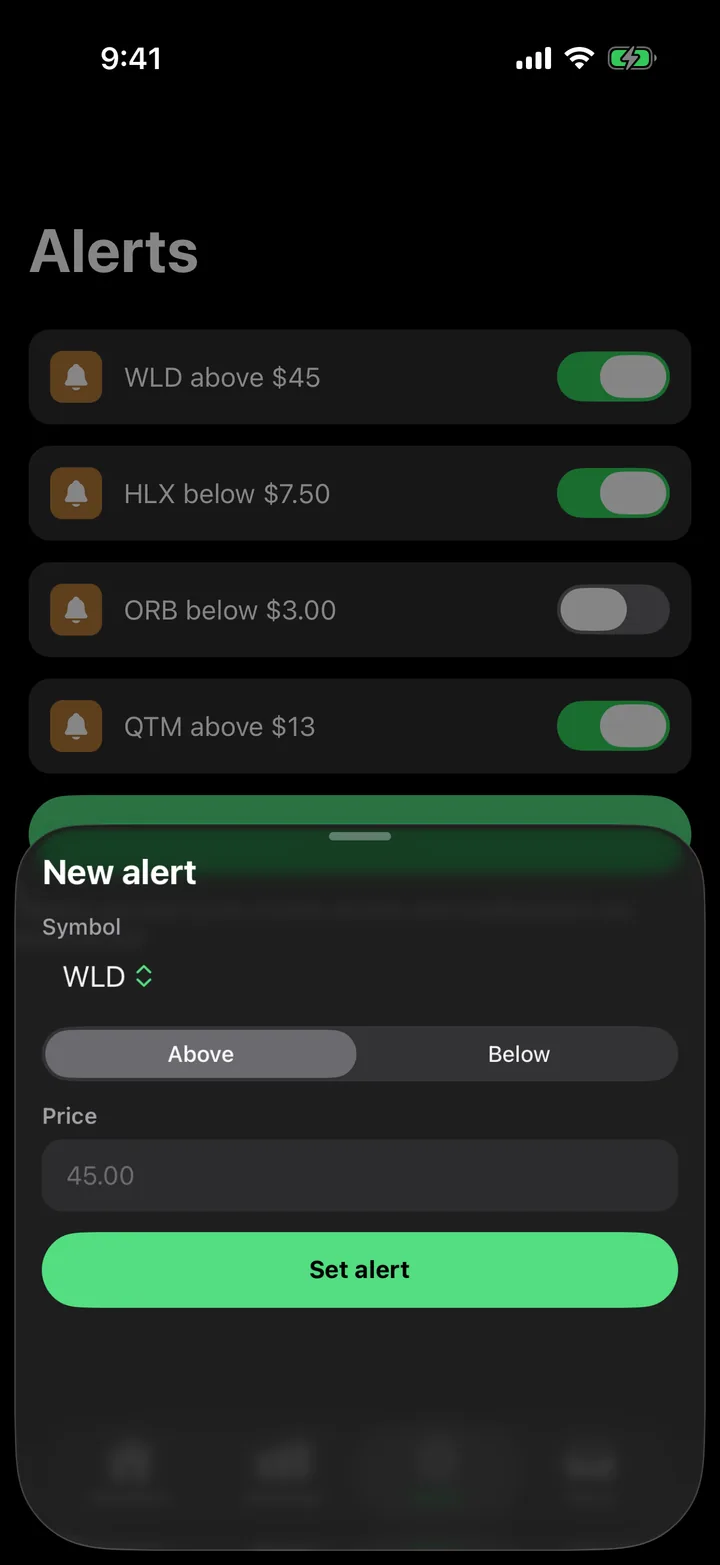
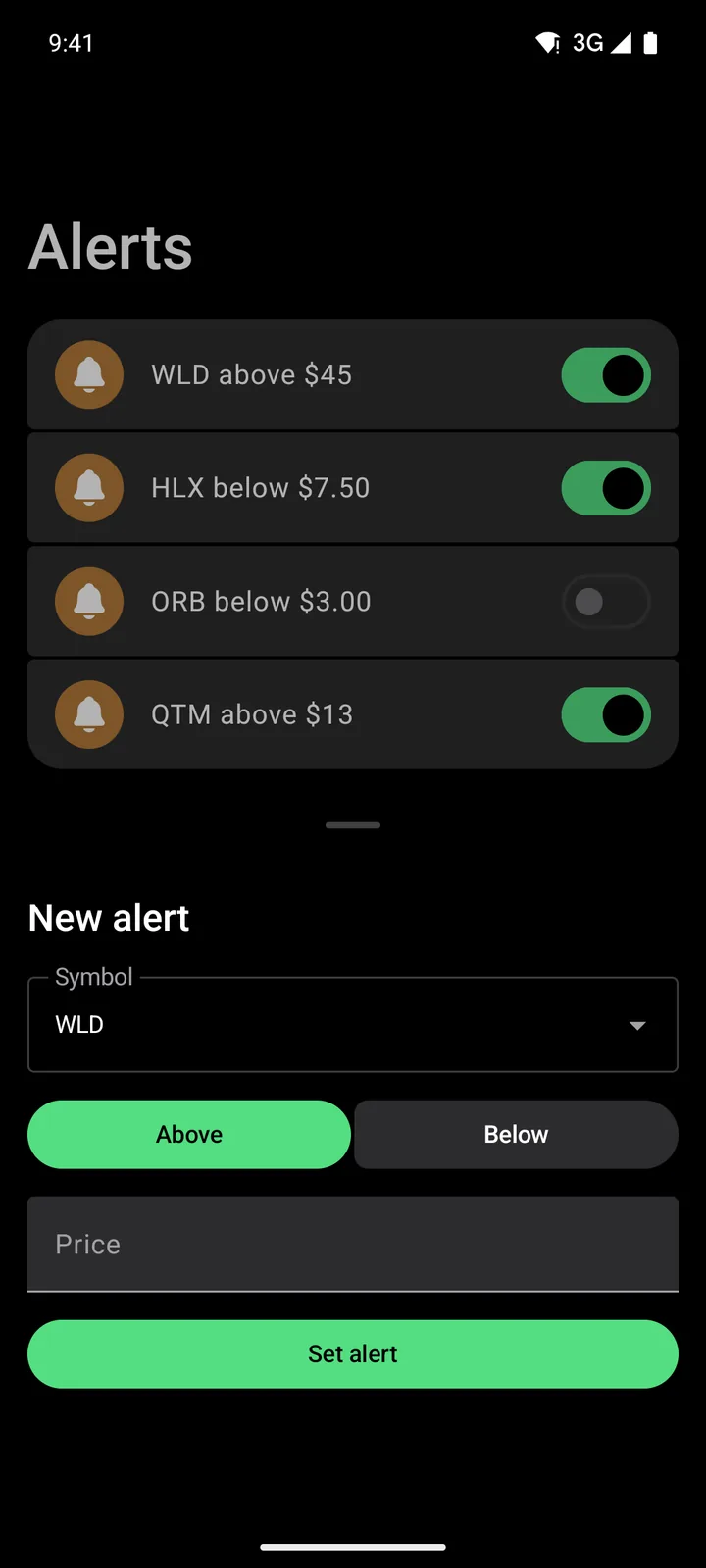
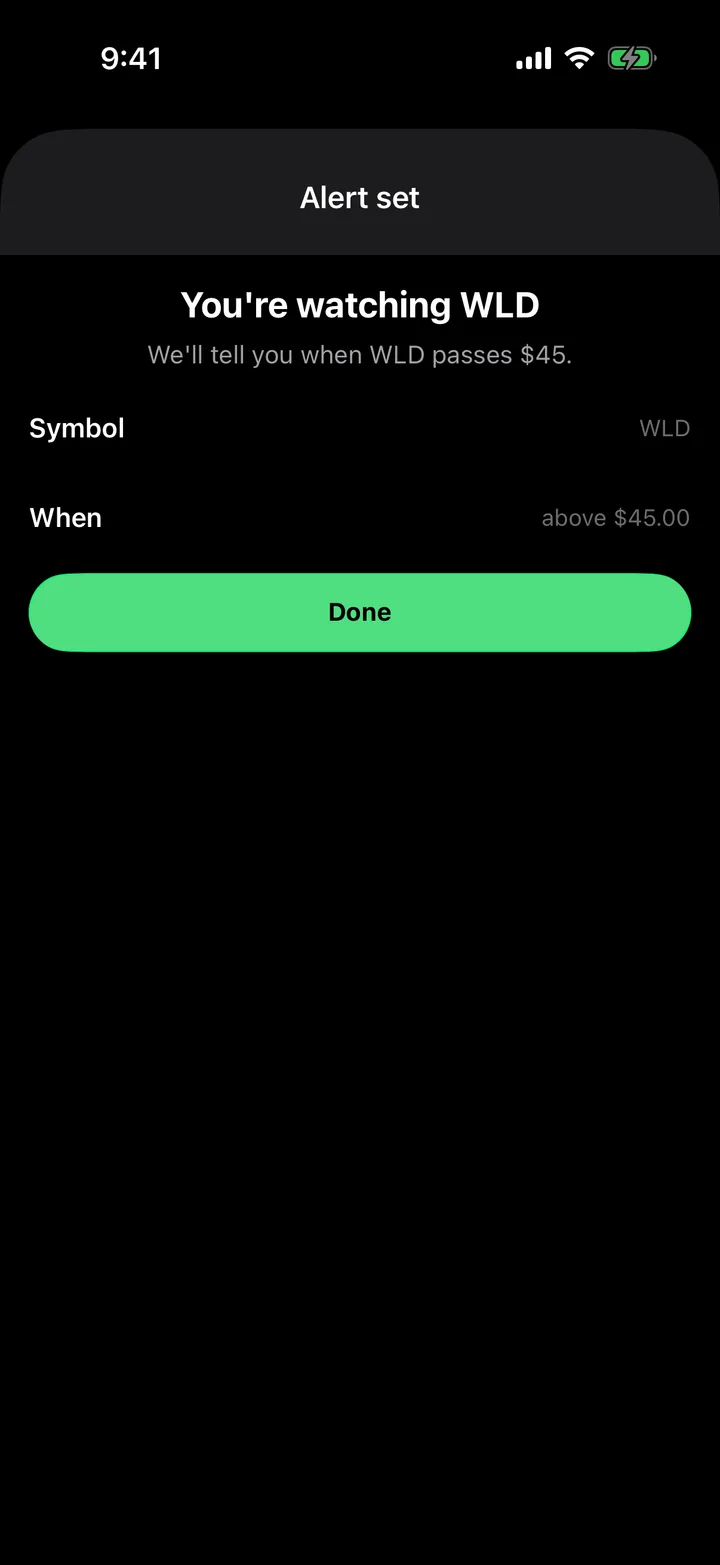
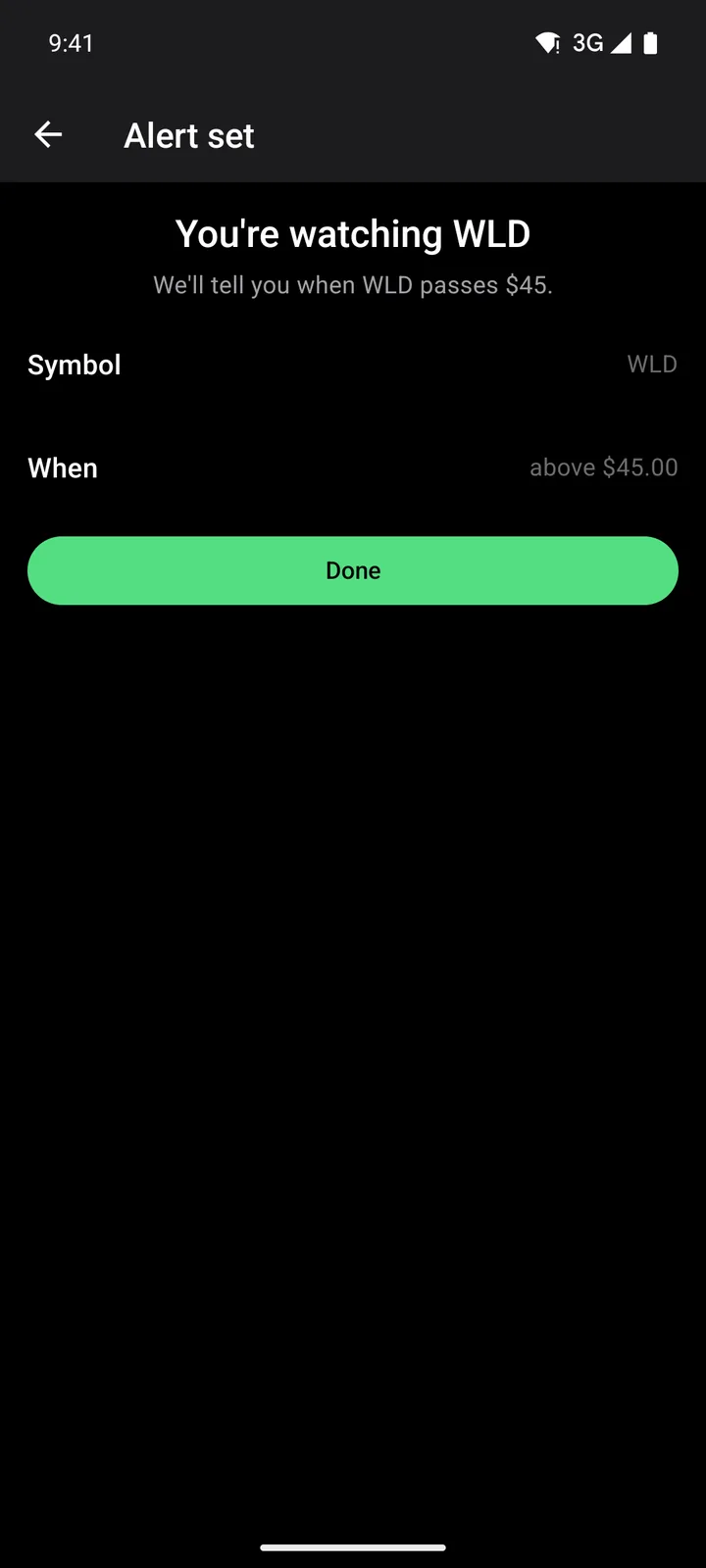
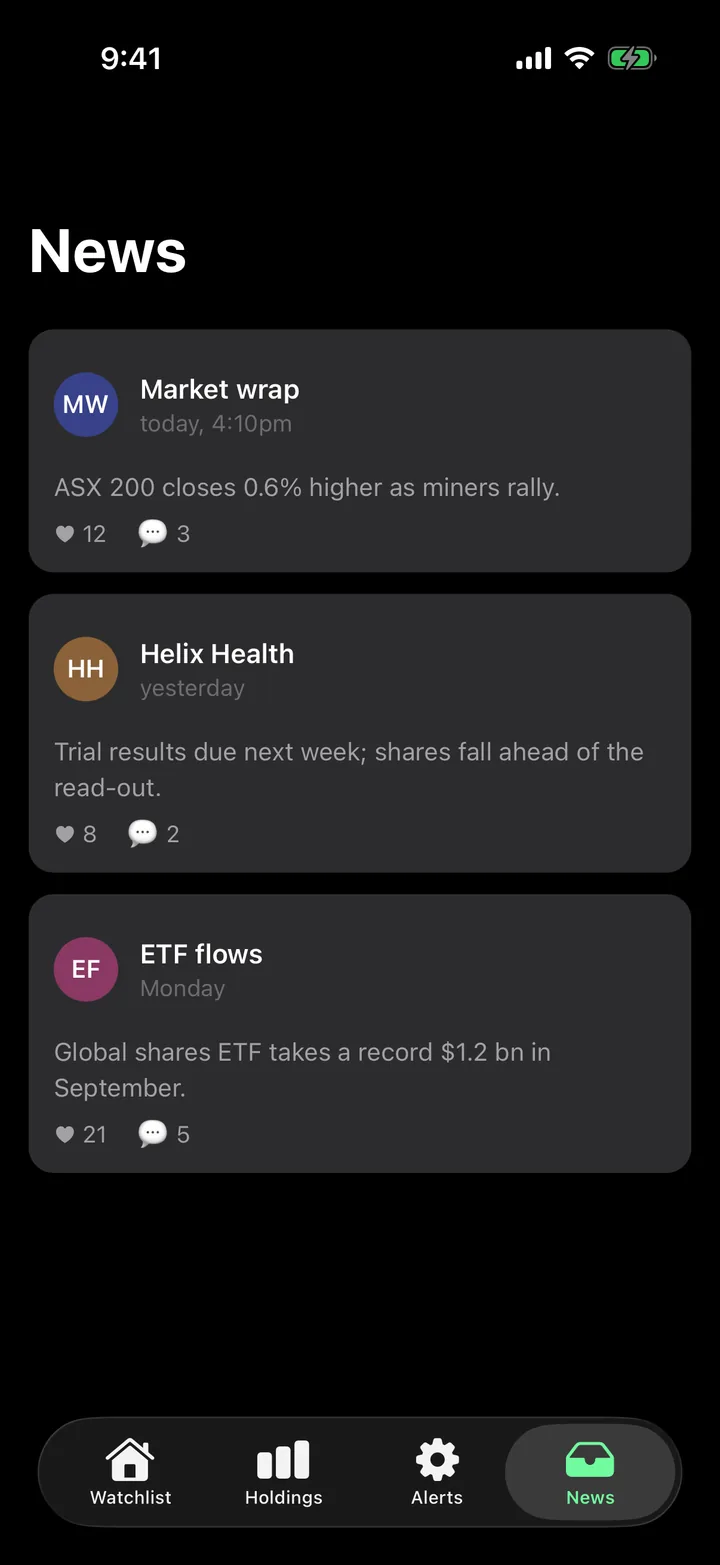
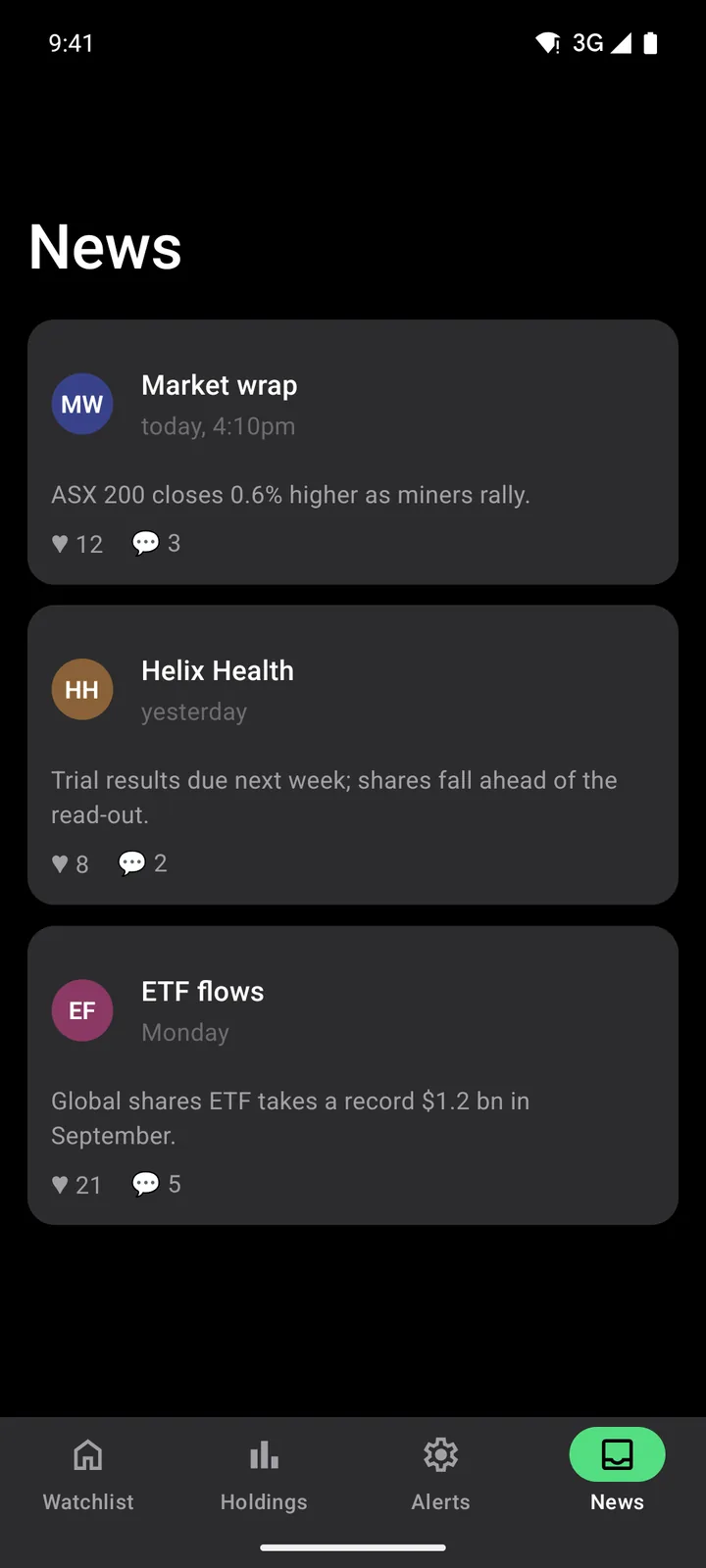
Captured running, on iOS and on Android.
The seven screens of Ticker Board, in the order you reach them: each tab, then the screens it opens. iOS on the left, Android on the right, both the built app running on a simulator rather than a mock-up, last captured on 16 October 2026.
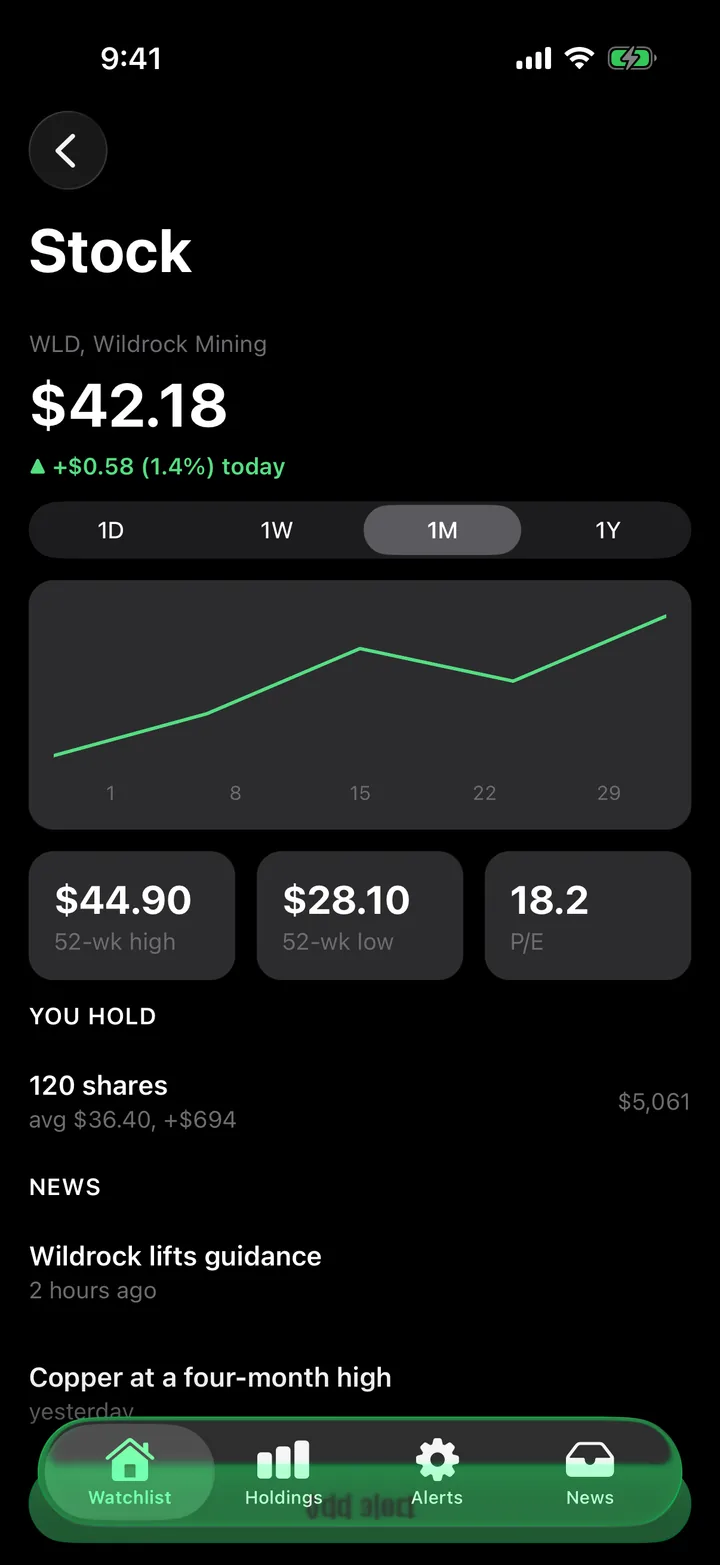
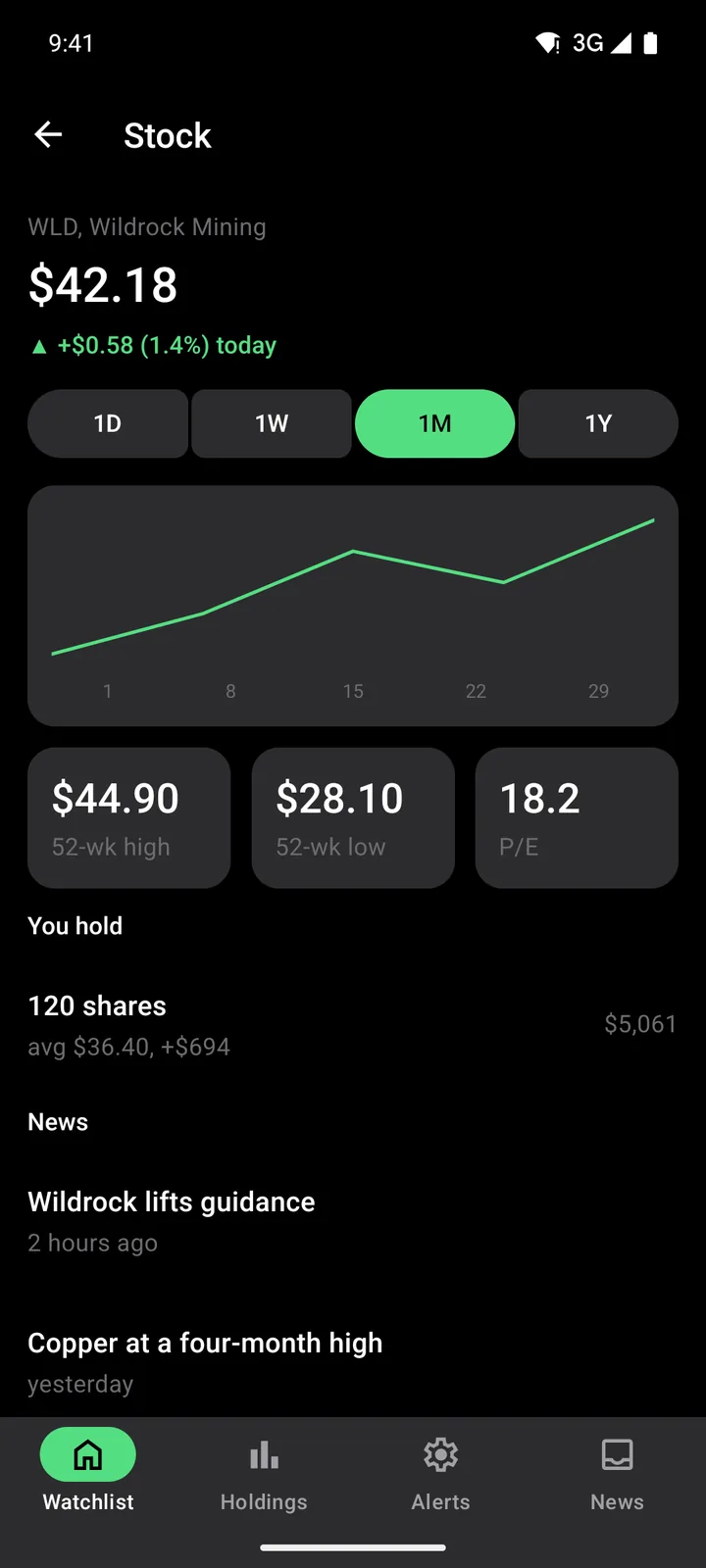
What you get
A real native app, not a picture of one.
We build it for your Android phone, or your coding agent turns this design into an Expo project you own, with the screens, the tab bar and the navigation already wired.
- The app
- One codebase for iOS and Android, native on both, with each platform’s own controls and Liquid Glass on iOS.
- Platforms
- Partly verified on iOS 26 and on iOS 27 and on Android 16 with Material 3 Expressive.
- Screens
- The app shown has four tabs (Watchlist, Holdings, Alerts, News); yours has the pages your sentence and your answers ask for. Every tab, opened screen and pop-up is wired in an app shell tested on both platforms.
- The code
- A normal Expo project in your own repo, with nothing that calls home. An app you export keeps working if you cancel.
- You need
- With Build my app, a free Expo account, connected once, and an Android phone. With your coding agent, the agent, connected once. You need a Mac with Xcode 27 to build the iOS app. Android needs only the Android SDK.
- Price
- Designing is free. Building it, by us or by your agent, is one subscription: $15 a seat a month, or $12 billed yearly, at the beta price (usually $25 and $20).
Questions
About the portfolio app.
Can I show shares, funds or property instead?
Does it connect to a bank or a broker?
Is the portfolio app native on iPhone and Android?
What do I need to turn it into an app?
Make it yours
Change anything, then get your app.
- 01
Say what it is for
One sentence in the Architect, and a few answers, and your app opens with every page in place, each under the page that opens it. Free, with a Google or GitHub sign-in.
- 02
Edit the words, tabs and colour
Open a page and change its parts, add pages, rename tabs. Advanced has every block. The preview shows iOS and Android.
- 03
Build it, or send it to your agent
Build my app installs it on your Android phone from a link. Your coding agent builds one Expo project for both platforms, and checks its own work before it says it is done.