Starter app
An ordering app for your café or restaurant
Already designed for cafés, bakeries, takeaways and restaurants that sell from a menu, with every screen and the navigation in place. Put your own menu in the App Designer, and we build it for Android, or your coding agent for iOS and Android.
Free to design, with no account. It opens with every screen and arrow drawn.
- Menu: opening hours, the pickup wait and what is on today, searchable by meal.
- Dish: a photo, a description, sizes and extras, with Add to order.
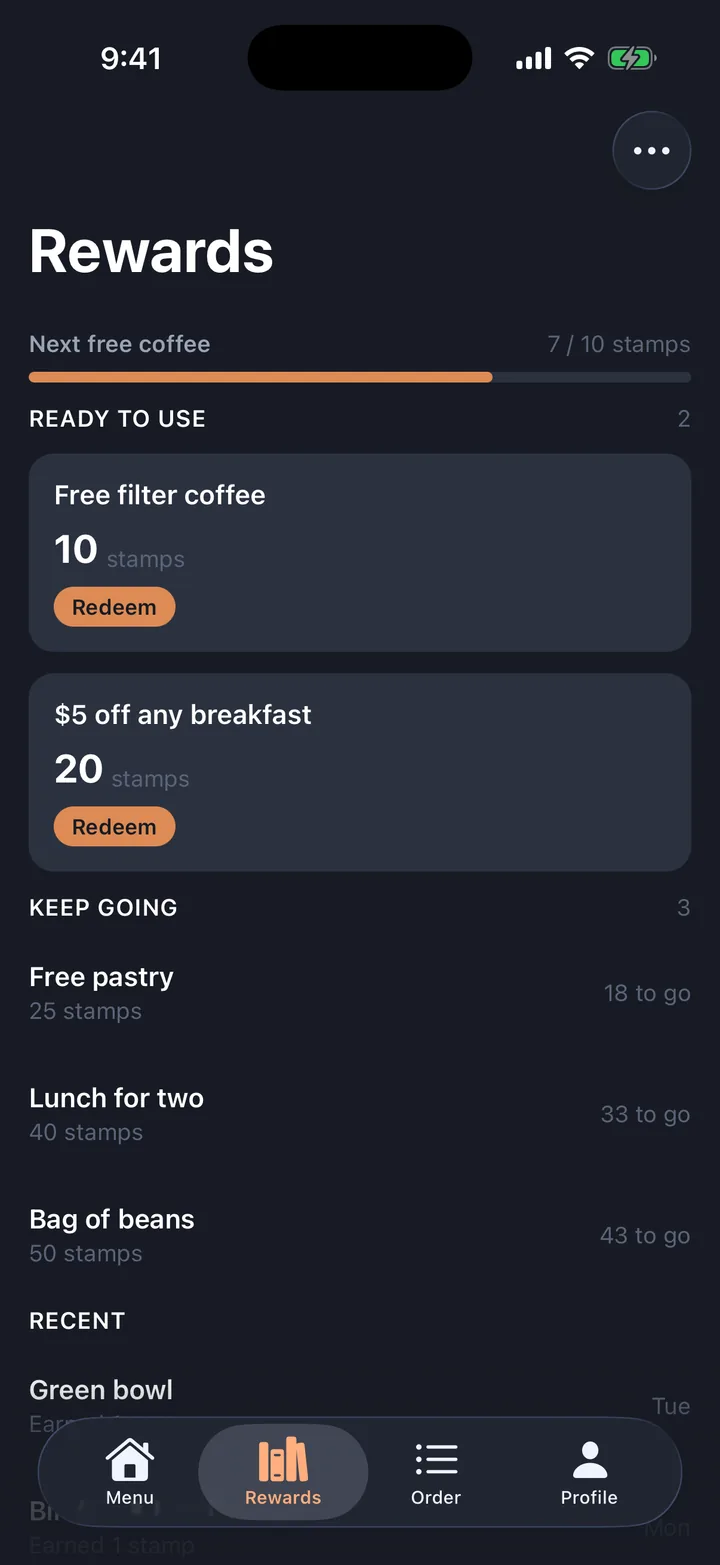
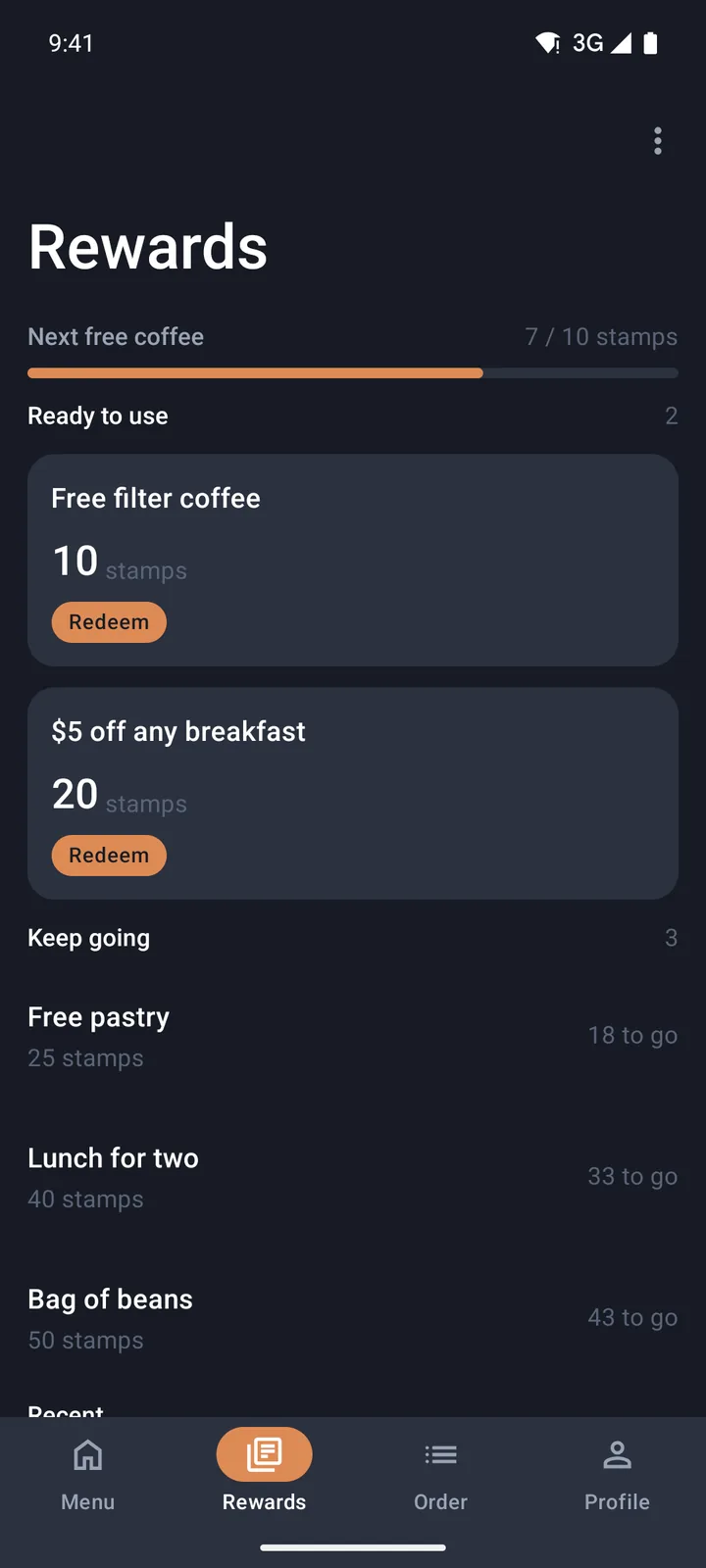
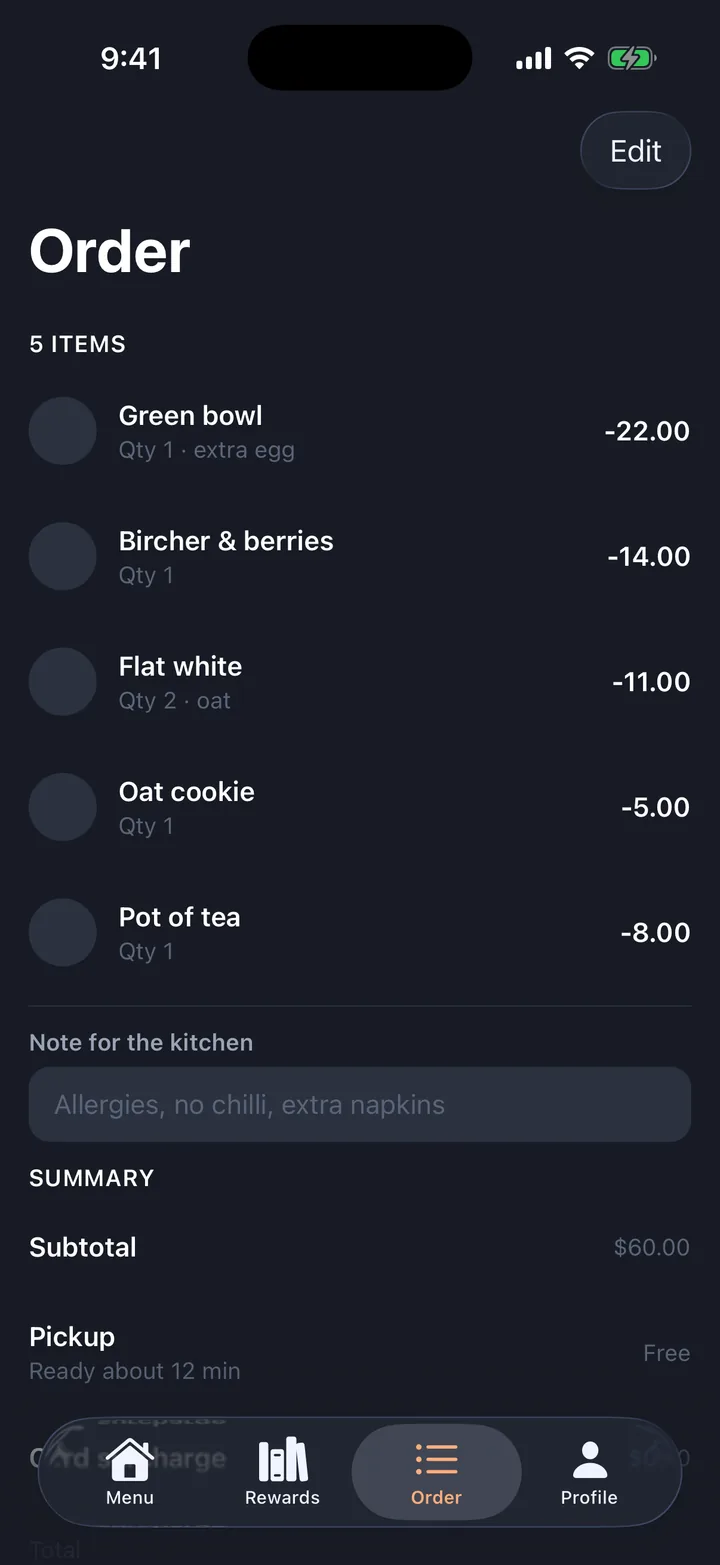
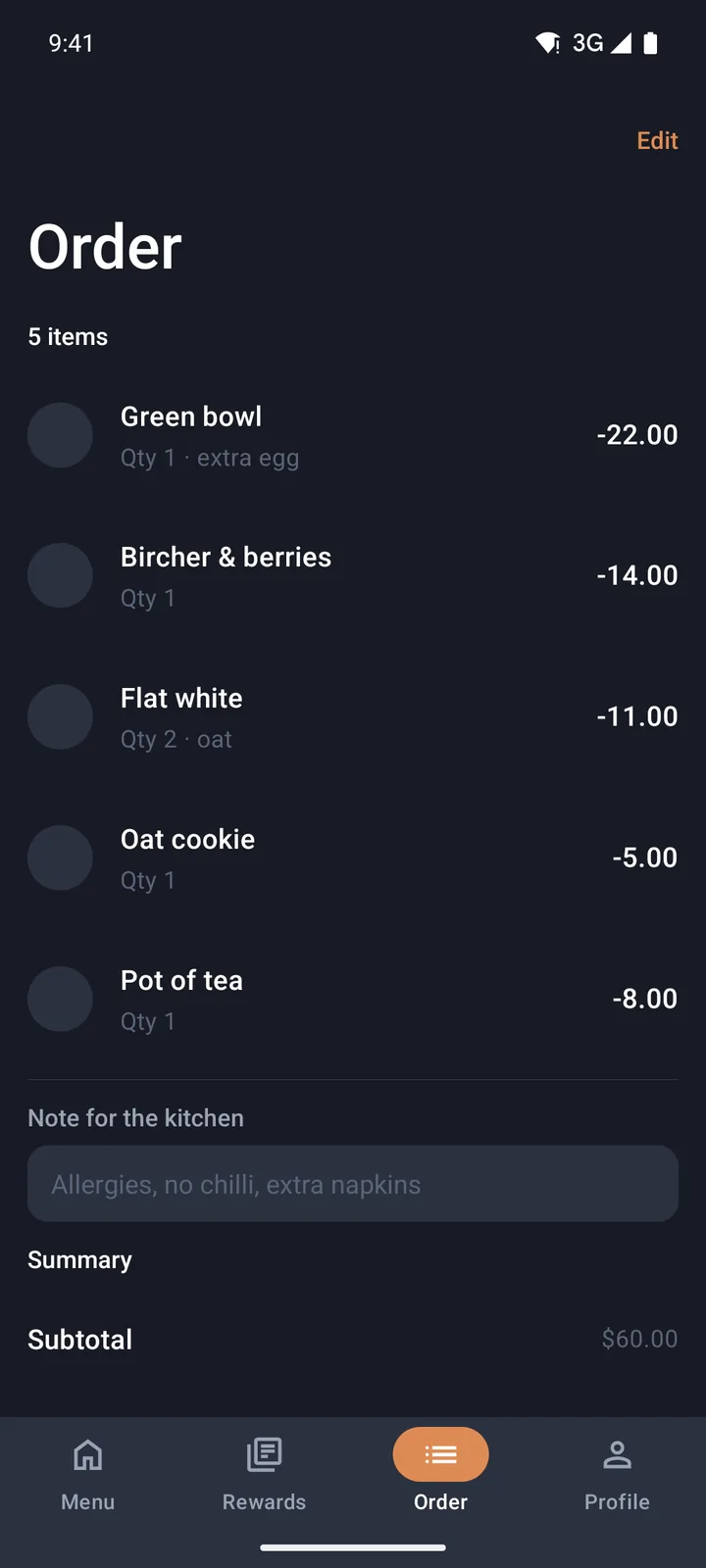
- Rewards and Order: stamps toward a free coffee, and the order for pickup.
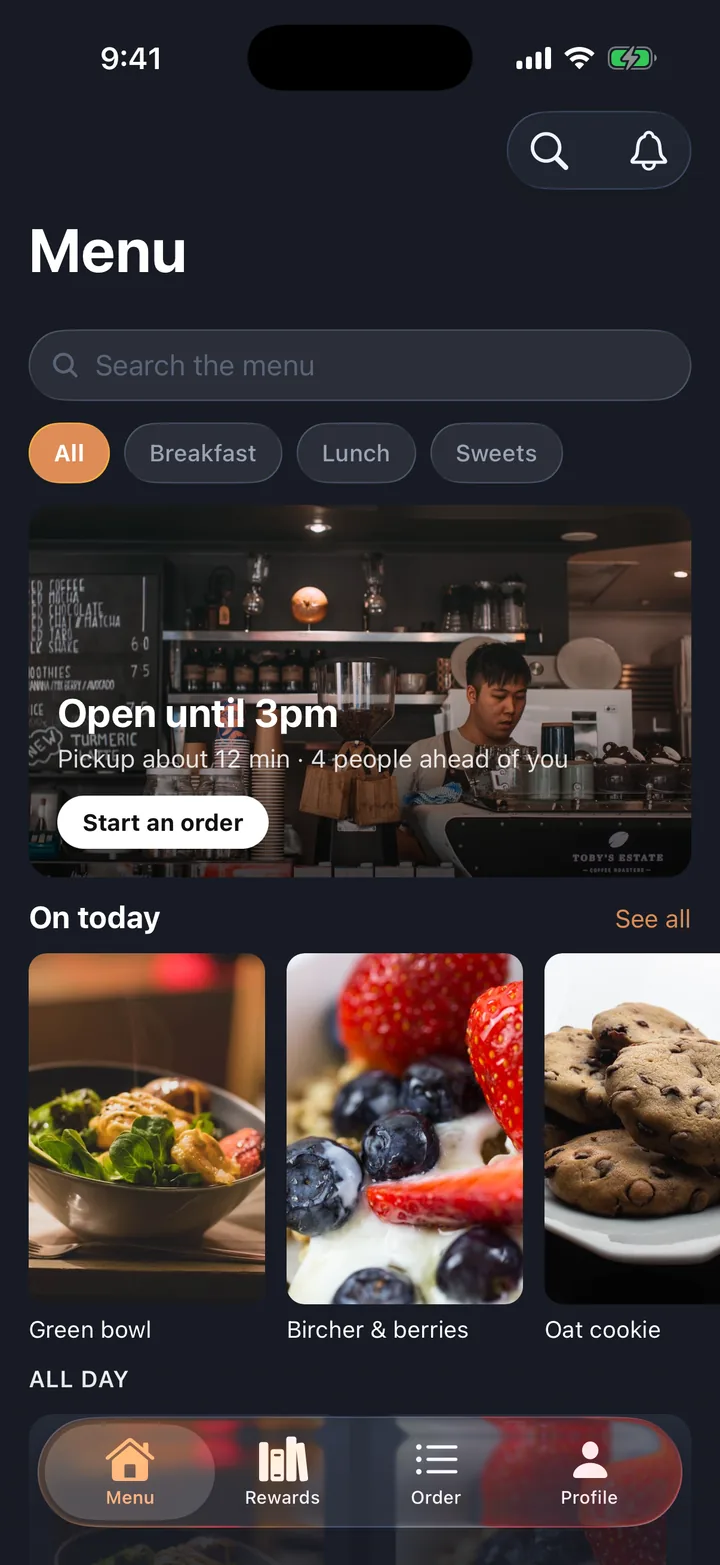
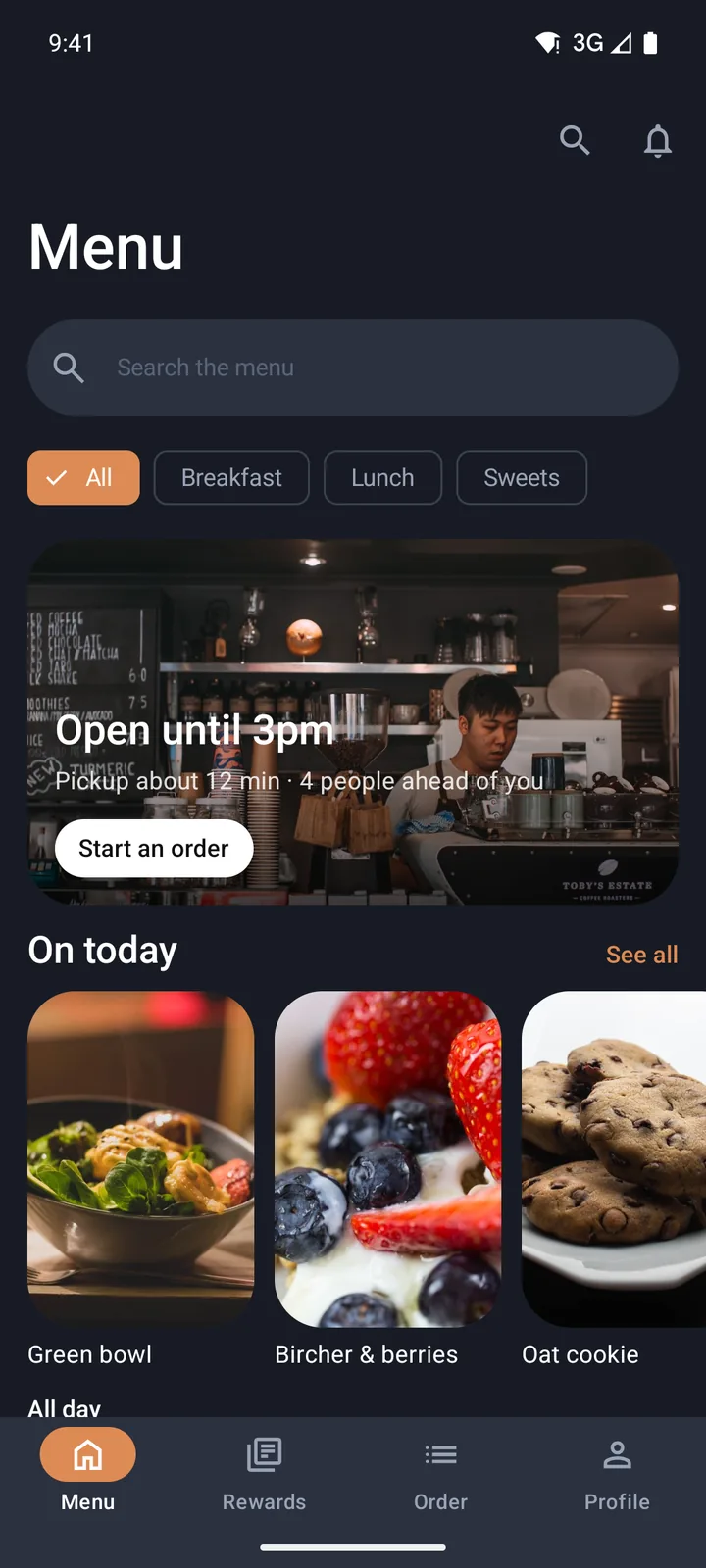
Every screen
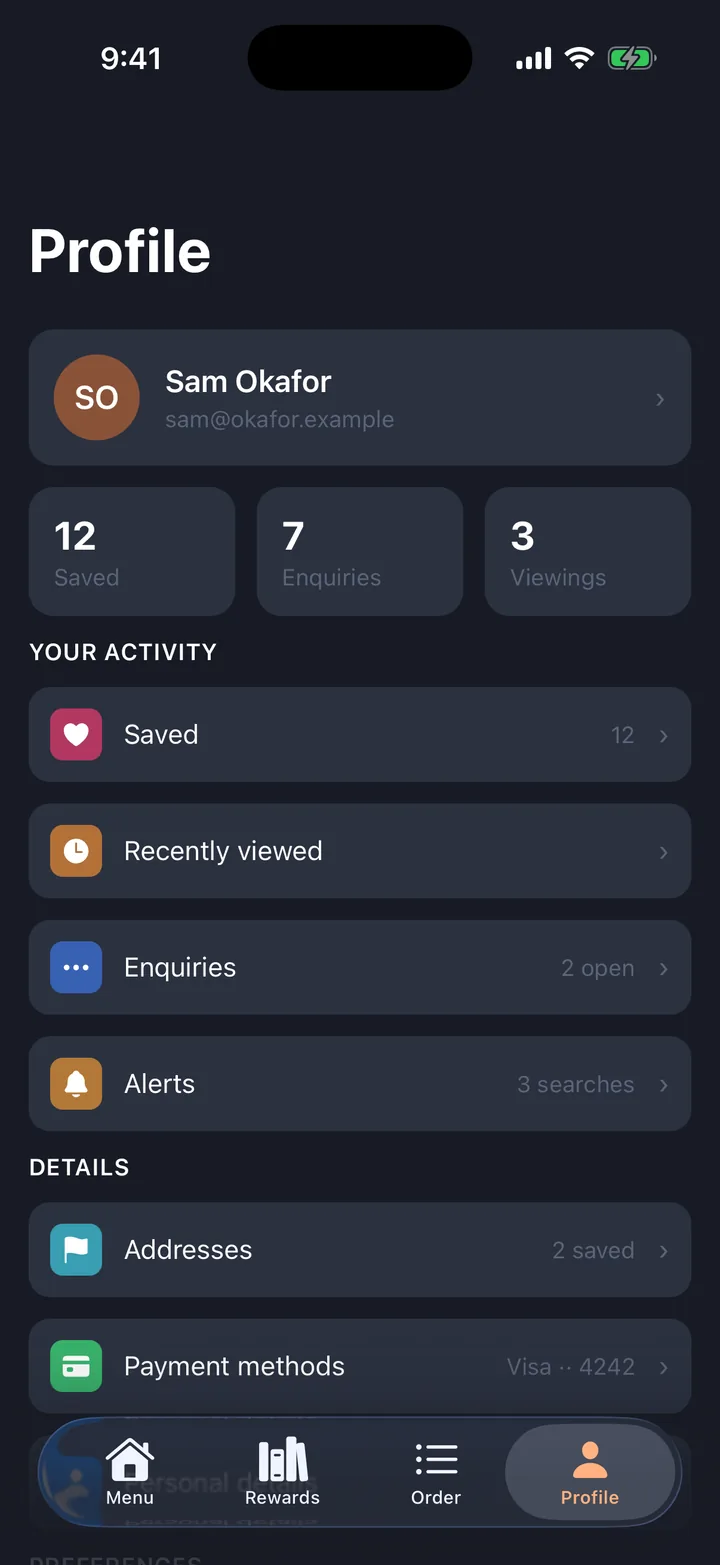
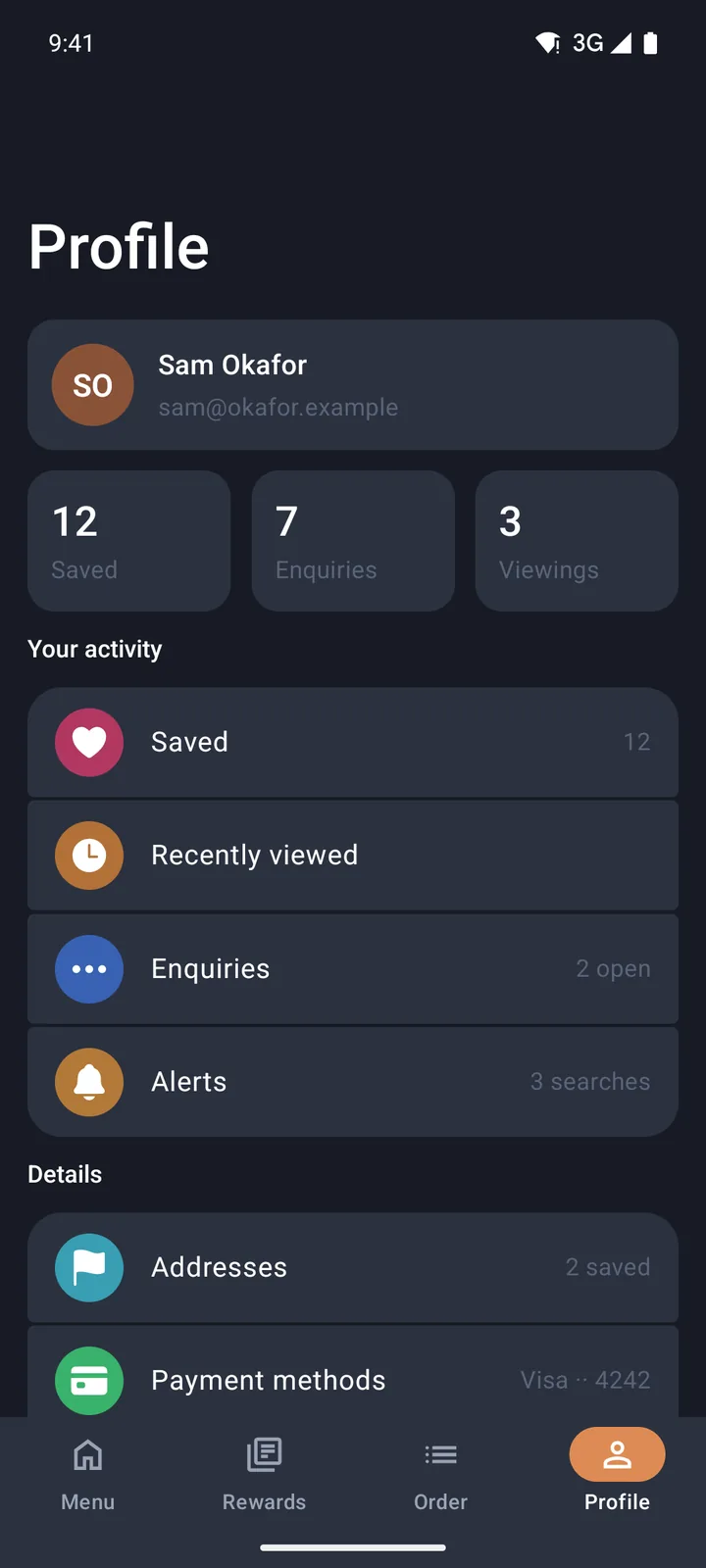
Captured running, on iOS and on Android.
The five screens with a recording, in the order you reach them: each tab, then the screens it opens. iOS 26 on the left, Android 16 on the right, both the generated app running on a simulator rather than a mock-up, last captured on 25 September 2026.
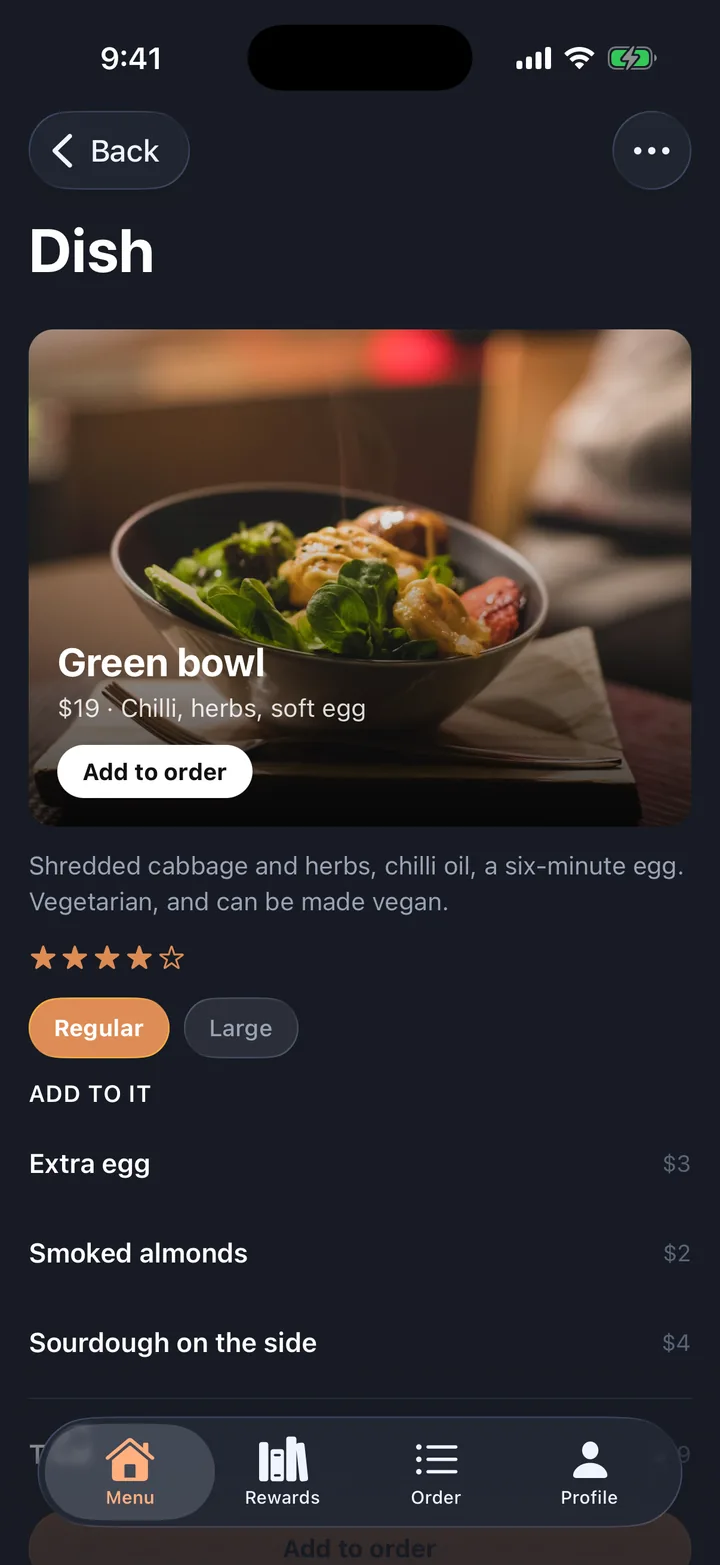
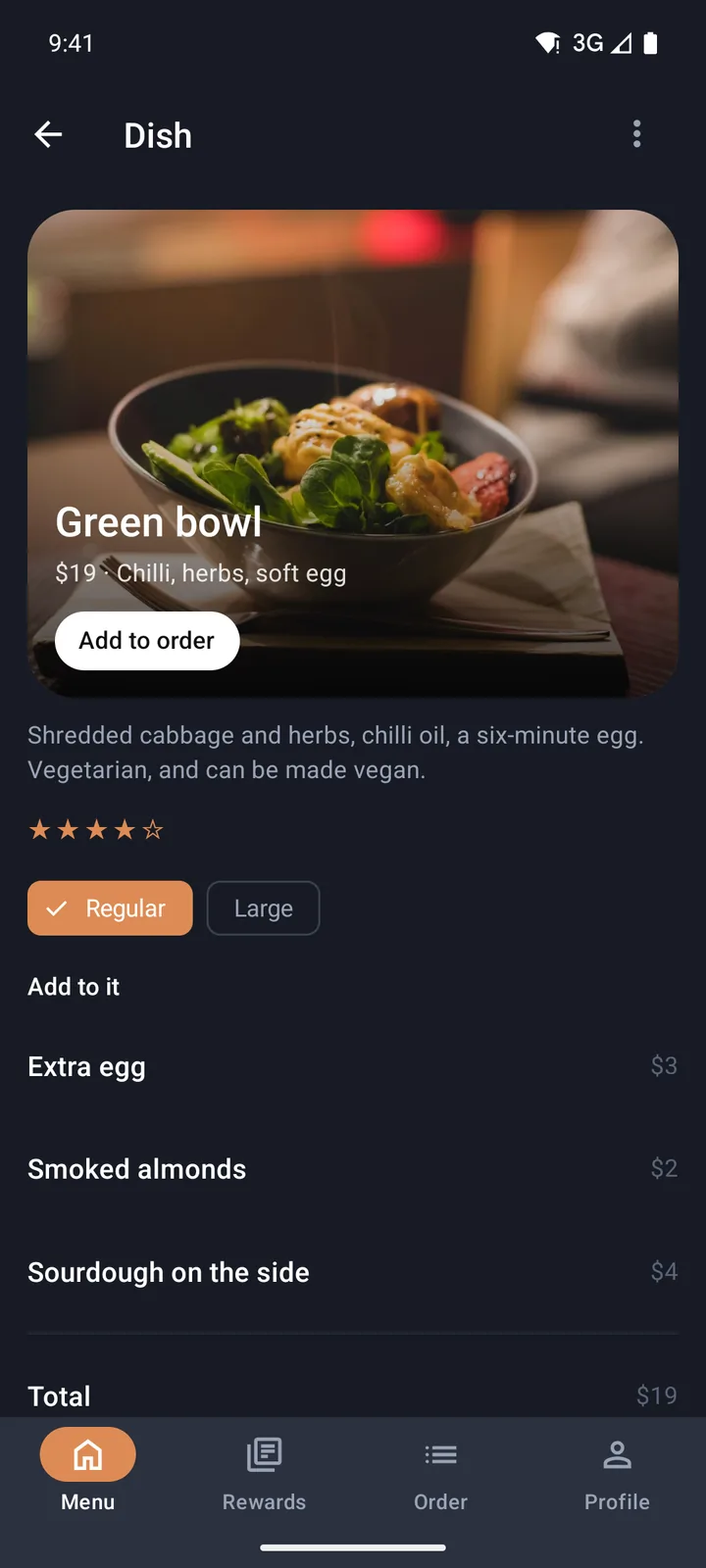
What you get
A real native app, not a picture of one.
We build it for your Android phone, or your coding agent turns this design into an Expo project you own, with the screens, the tab bar and the navigation already wired.
- The app
- One codebase for iOS and Android, native on both, with each platform’s own controls and Liquid Glass on iOS.
- Platforms
- Verified on iOS 26 and on Android 16 with Material 3 Expressive. iOS 27 support is in progress.
- Screens
- 7, in four tabs (Menu, Rewards, Order, Profile), including a splash screen. Every tab, pushed screen and pop-up is wired in an app shell tested on both platforms.
- The code
- A normal Expo project in your own repo, with nothing that calls home. An app you export keeps working if you cancel.
- You need
- With Build my app, a free Expo account, connected once, and an Android phone. With your coding agent, the agent, connected once. You need a Mac with Xcode 26 to build the iOS app. Android needs only the Android SDK.
- Price
- Designing is free. Building it, by us or by your agent, is one subscription: $15 a seat a month, or $12 billed yearly, at the beta price (usually $25 and $20).
Questions
About the ordering app.
Can I change the menu, the prices and the rewards?
Does it take orders and payments?
Is the ordering app native on iPhone and Android?
What do I need to turn it into an app?
Make it yours
Change anything, then get your app.
- 01
Open it in the App Designer
The starter opens with its tabs, screens and arrows already drawn. No account needed.
- 02
Edit the words, photos and theme
Drag in blocks, remove screens, draw new arrows. The preview shows iOS and Android.
- 03
Build it, or send it to your agent
Build my app installs it on your Android phone from a link. Your coding agent builds one Expo project for both platforms, and checks its own work before it says it is done.